
Avast Antivirus Review 2026
Last Updated: August 22, 2026
Avast is one of the largest consumer security brands in the world and is now part of Gen Digital, the group that also owns Norton, AVG, Avira and CCleaner. Its most distinctive feature is not a technology but a business decision: Avast gives away the same detection engine it sells.
That matters because the free edition is not a demonstration version with a weakened scanner. Avast Free Antivirus earned a perfect 18 out of 18 and Top Product status from AV-TEST, a result achieved by the free product rather than a paid tier, and it holds a Top-Rated Product award from AV-Comparatives. In the May to June 2026 AV-TEST round Avast scored 6 out of 6 across protection, performance and usability.
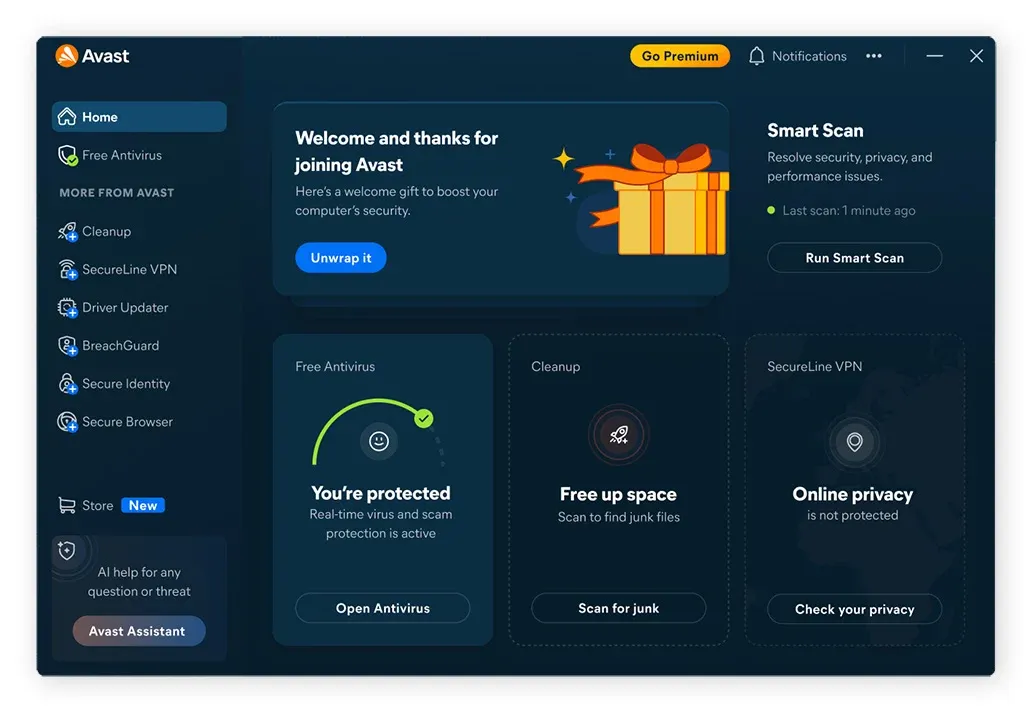
The trade-off is what the free edition leaves out, and it is more than most people assume. There is no ransomware shield, no phishing protection, no firewall and no Wi-Fi vulnerability scanning. Those are the layers that separate finding malware from preventing an attack. Avast's own history with user data is also part of an informed decision, and it is covered below.
Protection: What the Independent Labs Found
Avast's detection results place it firmly in the leading group, and the notable detail is which edition earned them.
AV-TEST awarded Avast a perfect 6 out of 6 for protection, 6 out of 6 for performance and 6 out of 6 for usability in its May to June 2026 evaluation. Separately, Avast Free Antivirus took a full 18 out of 18 with Top Product status, a distinction rarely awarded to software that costs nothing. AV-Comparatives named Avast Free Antivirus a Top-Rated Product for 2025.
In AV-Comparatives testing, Avast blocked 99.3% of attacks in the Real-World Protection test with five false positives. Its March 2026 Malware Protection Test figures were 96.3% offline and 98.7% online.
The practical conclusion is important and often misunderstood. The scanning engine is the same in the free and paid editions, so upgrading does not make Avast better at recognizing malware. What upgrading buys is additional protective layers around that engine, plus privacy and performance tools. If your only question is whether the free version detects threats competently, the lab results say yes.
Where the free edition is genuinely weaker is coverage. Without a ransomware shield, a file-encrypting attack that the scanner does not recognize has nothing standing in its way. Without phishing protection, a convincing fake banking page loads normally. Those gaps are about scenarios, not detection rates.
Key Features
- CyberCapture
When Avast encounters a file it does not recognize, it isolates the file and sends it to Avast's threat lab for analysis in the cloud rather than allowing it to run. Included in the free edition. - Behavior Shield
Watches running applications for suspicious patterns, such as a program attempting to modify large numbers of files or alter system settings, and stops them regardless of whether the file was previously known. Included in the free edition. - Wi-Fi Inspector
Scans the network you are connected to for weak router passwords, outdated firmware and unfamiliar connected devices. Paid tiers only, and one of the more genuinely useful additions if you use public networks. - Ransomware Shield
Restricts which applications are allowed to modify files in your documents and photos folders, so an unrecognized program cannot encrypt them. Paid tiers only. - Web Shield and Email Shield
Block malicious downloads, phishing links and infected email attachments before they reach the browser or mail client. Full phishing protection is a paid feature. - Real Site and Sandbox
Real Site protects against DNS hijacking that would send you to a convincing fake of a real site, while Sandbox runs a suspect application in an isolated environment where it cannot touch the rest of the system. Paid tiers only.
Plans and Pricing
Avast restructured its consumer range so that Avast One is the platform the paid tiers sit inside rather than a separate product.
- Avast Free Antivirus - free, available for PC, Mac, Android and iOS, core malware detection with no ransomware shield, phishing protection, firewall or Wi-Fi scanning
- Avast Premium Security, 1 device - $49.08 for the first year, renewing at $77.99, covering one Windows PC plus a mobile device
- Avast Premium Security, 10 devices - $69.48 for the first year, renewing at $99.99, across Windows, Mac, iOS and Android
- Avast Ultimate, 1 device - $49.08 for the first year, renewing at $109.99, bundling Premium Security with SecureLine VPN, AntiTrack and Cleanup Premium
- Avast Ultimate, 10 devices - $69.48 for the first year, renewing at $139.99, the same bundle across ten devices
The renewal steps are worth reading twice. Premium Security on ten devices goes from $69.48 to $99.99, which is a moderate increase by this category's standards. Ultimate on ten devices doubles, from $69.48 to $139.99. Ultimate is the better deal in year one and the more expensive commitment afterwards, so if you buy it for the bundle, decide before renewal whether you are still using the VPN and cleanup tools.
Avast offers a 30-day money-back guarantee, with one condition that catches people out: it applies to purchases made directly from Avast, not through third-party retailers or app stores. If you buy through a reseller, the refund terms are theirs, not Avast's. Mac plans are offered with a longer 60-day trial period.
The question most readers actually have is whether the free version is enough. A reasonable answer: it is enough for a secondary machine, a spare laptop or a relative's computer used mainly for browsing and email. It is not enough if you bank or shop online regularly, use public Wi-Fi, or store documents you could not afford to lose, because those are precisely the scenarios the paid layers cover.
Speed Impact & Free Version Popups
Avast scored a full 6 out of 6 for performance in the AV-TEST May to June 2026 round, so on a current machine the security layer itself is not a meaningful drag on browsing, file operations or application launches.
The cost of the free edition is measured in attention rather than processor cycles. It surfaces upgrade prompts, scan result summaries that recommend paid features, and periodic notifications about tools not included in the free tier. This is the trade for a product given away, and it is reasonable in principle, but it is more frequent than in most competitors and it is the most common complaint about the free version.
If you run Avast alongside another security product, enable Passive Mode so the two do not compete for the same file operations, which does cause real slowdowns.
Privacy Record: What You Should Know
Avast's history with user data is a matter of public record and is worth understanding before buying.
In February 2024, the US Federal Trade Commission filed a complaint alleging that Avast had collected users' browsing histories through its antivirus software and browser extensions while marketing itself as a product that blocked third-party tracking, and had sold that data to more than 100 third parties through its Czech subsidiary Jumpshot. The FTC finalized its order in June 2024, with Avast paying $16.5 million in consumer redress.
The order bans the sale or licensing of browsing data from Avast-branded products for advertising purposes, requires explicit consent before selling or licensing browsing data from non-Avast products, and requires Avast to delete the data transferred to Jumpshot along with any models or algorithms derived from it. The FTC opened its refund claims process for affected customers in February 2025.
Jumpshot was shut down in 2020 and Avast now operates under those binding conditions. The matter is closed and the remedies are specific and enforceable. Whether that history affects your decision is a personal judgment, but it should be an informed one rather than a surprise later.
Multi-Platform & Up to 30 Devices Coverage
Avast provides free applications for Android and iOS in addition to Windows and macOS, and paid device allowances can be spread across any combination.
The Android app includes malware scanning, Web Shield, a Wi-Fi security check and a photo vault, and remains useful even on the free tier. The iOS app is bounded by Apple's platform restrictions to web protection, VPN and identity monitoring, which applies to every vendor equally.
The ten-device tier is the one that makes sense for a household. It covers Windows, Mac, iOS and Android in any mix, so a family with two laptops, four phones and a couple of tablets fits inside one subscription. Below that, the entry tier is deliberately narrow: it covers one Windows PC plus a mobile device, which suits a single person and no one else.
What the Ultimate Bundle Adds
Avast Ultimate is where the range stops being an antivirus and becomes a bundle, and the components are separate products rather than features.
SecureLine VPN is Avast's standalone VPN with no bandwidth limit, servers in a range of countries and a kill switch. Sold on its own it costs a substantial part of what the whole Ultimate bundle costs in the first year, which is the main reason the bundle makes arithmetic sense for anyone who wants a VPN anyway.
AntiTrack is the more distinctive inclusion. Rather than only blocking trackers, it disguises the browser fingerprint that advertising networks use to identify you across sites even when cookies are cleared, and reports which sites attempted to build a profile. Given the company's own history with browsing data, it is a product with an awkward backstory, but technically it does what it describes.
Cleanup Premium handles junk files, unused applications, browser leftovers and startup entries, and includes a sleep mode that suspends background applications you are not using. Driver Updater checks installed hardware drivers against current versions, which is a genuine security function as well as a stability one, since outdated drivers are a recurring source of exploitable flaws.
Avast One also folds in data breach monitoring, alerting you when an email address you have registered appears in a known breach.
The bundle is a reasonable deal if you would otherwise buy a VPN and a cleanup tool separately. If you already have a VPN you are happy with, Premium Security covers the security features and Ultimate becomes a large step up in price for tools you may not open. Compare the first-year total against what you currently pay for those services individually before deciding.
Free or Paid: Working Out Which You Need
Avast is the one product here where this is a real question rather than a marketing exercise, because the free edition is genuinely capable. The useful way to decide is by scenario rather than by feature list.
The free edition is enough if the machine is a secondary one, if it is used mainly for browsing, email and streaming, and if nothing on it would be painful to lose. A spare laptop, a desktop used for schoolwork, or a relative's computer all fit that description. The detection engine is the same one in the paid product and it carries AV-TEST Top Product status, so you are not running a weakened scanner.
Pay for it if any of these are true. You bank or shop online from the machine, in which case phishing protection is doing work every week whether or not you notice. You connect to networks you do not control, where Wi-Fi Inspector and the VPN matter. Or you keep documents, photos or work files that only exist in one place, which is exactly what ransomware is built to exploit and exactly what the free edition has no shield against.
There is a middle path worth knowing about. Nothing stops you running the free edition on low-risk machines and a paid subscription on the one that matters. The ten-device tiers are priced per subscription rather than per household, so a single paid plan on the laptop that handles money plus free installs everywhere else is a legitimate way to spend less without leaving anything unprotected.
What is not a good reason to upgrade is a belief that the paid version detects more malware. It does not. It surrounds the same detection with more layers, and those layers are worth paying for only in the scenarios above.
Software Experience & Customer Support Channels
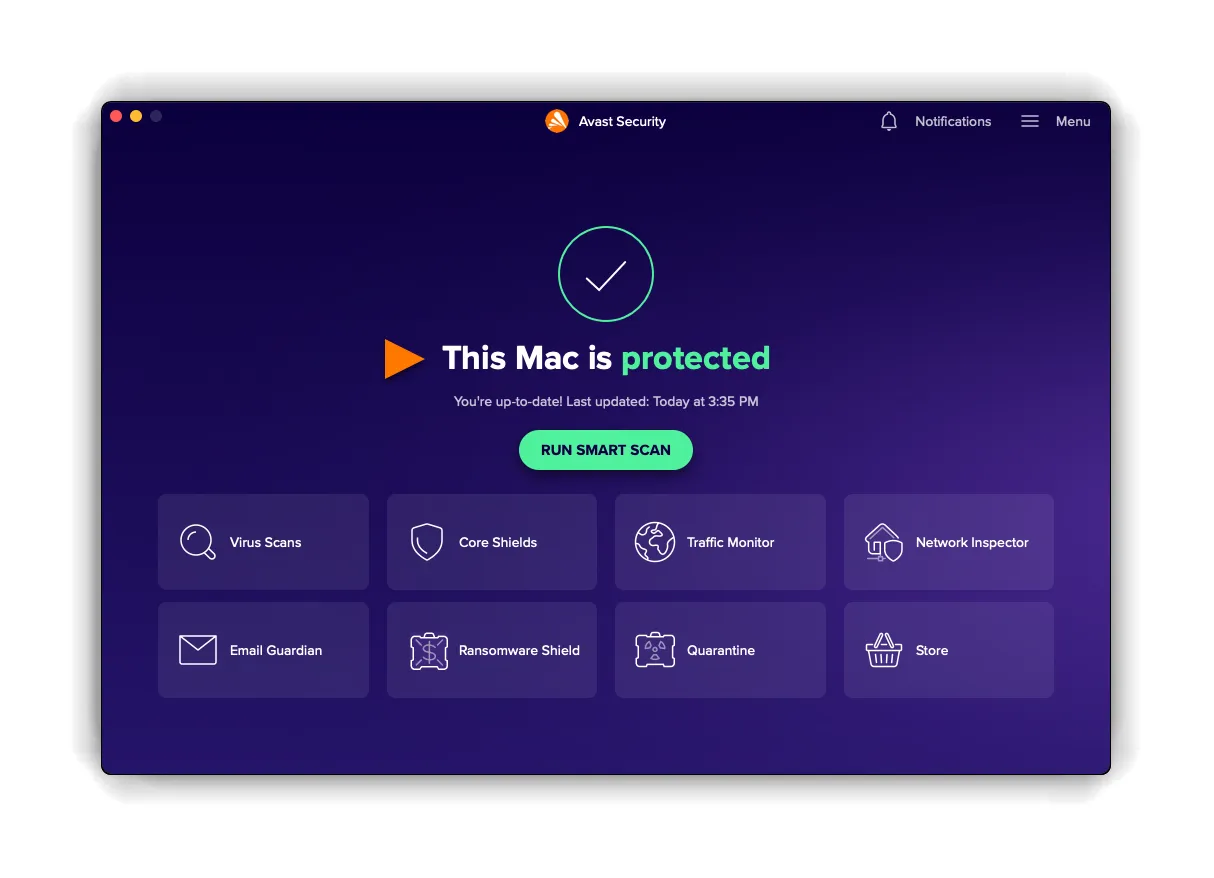
The main interface is clean and organized around a large Smart Scan button, with protection, privacy and performance sections behind it. Defaults are sensible and the product does not require configuration to be effective.
Support differs sharply by tier. Free users get community forums and a knowledge base with no direct channel, which is a fair reflection of the price but worth knowing before you rely on it. Paid subscribers get direct technical support.
Verdict: Who Should Use Avast Antivirus?
Avast is the obvious choice when you need capable protection at no cost, on a secondary machine or for a family member on a limited budget. No other product here offers a free tier with AV-TEST Top Product status.
It is also a strong fit for people who frequently connect to networks they do not control, since Wi-Fi Inspector addresses a risk most suites ignore, and for households that can fill the ten-device tier across mixed platforms.
Buyers for whom data privacy is the deciding factor may prefer a vendor without the history described above, and anyone who wants a single product with identity monitoring and cloud backup built in will find Norton or McAfee more complete.
Pros & Cons
Pros
- Perfect 6/6/6 in the AV-TEST May to June 2026 Windows evaluation
- The free edition earned AV-TEST Top Product status, rare for a no-cost product
- Blocked 99.3% of attacks in AV-Comparatives real-world testing with five false positives
- Wi-Fi Inspector scans your network for weak passwords and unknown devices
- Ten-device tiers cover Windows, Mac, iOS and Android in any combination
- The same detection engine runs in the free and paid editions
Cons
- The free edition has no ransomware shield, no phishing protection, no firewall and no Wi-Fi vulnerability scanning
- Settled with the FTC in 2024 for $16.5 million over browsing data sold through Jumpshot
- Ultimate doubles on renewal, from $69.48 to $139.99 on the ten-device plan
- The free edition shows frequent upgrade prompts, and free users have no direct support channel